
How it works
Message in.
Job booked. Money in.
Five things happen between a customer's first message and your invoice being paid. The front desk does all five. Here is each one, what you set, and what the customer sees.
01. Answer
Every channel, in seconds
Connect Instagram, WhatsApp, Facebook, Telegram, SMS, email, Slack or the chat widget on your site. The front desk answers on whichever one the customer used, in your business's voice.
- It answers from your knowledge base: your site, your price list, your policies, your hours.
- Set it up by pasting your website address; the knowledge is built for you and you edit what's wrong.
- After hours is the point. Most of what it saves you arrives when you are asleep.
02. Qualify
Your rules, written down once
The playbook is a form, not a prompt. You say what the front desk must collect, what it may quote, what it must never promise, and when it hands the conversation to you.
- Collect: name, address, the job, when they want it, how they heard about you.
- Offer: the services and prices it is allowed to say out loud.
- Never: discount, promise a same-day slot, quote outside the list.
- Hand off: commercial jobs, complaints, anything it hasn't been told.
A refusal is a feature. The front desk stops where you told it to.
03. Book
Real availability, offered in the chat
Google Calendar and Microsoft 365 connect in a click. The front desk offers only slots you actually have, respects buffers and travel time, and writes the appointment to your calendar and the customer's record together.
- No back-and-forth, no booking link the customer has to open in another tab.
- Reschedules and cancellations come back through the same thread.
- Reminders go out on the channel the customer already used.
Calendars
Google Calendar, Microsoft 365
Money
Square, Stripe
Channels
Instagram, WhatsApp, Facebook, Telegram, SMS, email, Slack, web
Everything else
Open MCP, so new tools connect without waiting for us
04. Get paid
Deposit at booking. Invoice after the visit.
Square and Stripe connect to your own account. We don't sit in the middle and we don't take a cut. The front desk sends the quote, holds the slot with a deposit, invoices when the work is done, and chases what's outstanding without you making the awkward call.
Deposit
Holds the slot and kills the no-show. Set the amount per service.
Quote
Built from your price list, sent as a Square quote with a pay link.
Invoice
Issued after the visit, chased on the same thread until it's paid.
Subscription
Stripe plans for maintenance contracts and memberships.
05. Onboard
They land somewhere with your name on it
After the deposit, the front desk runs an intake task (a short conversation, not a form to download), then invites the customer into a portal branded as your business. Appointments, documents, tasks and invoices, all in one place they can check without emailing you.
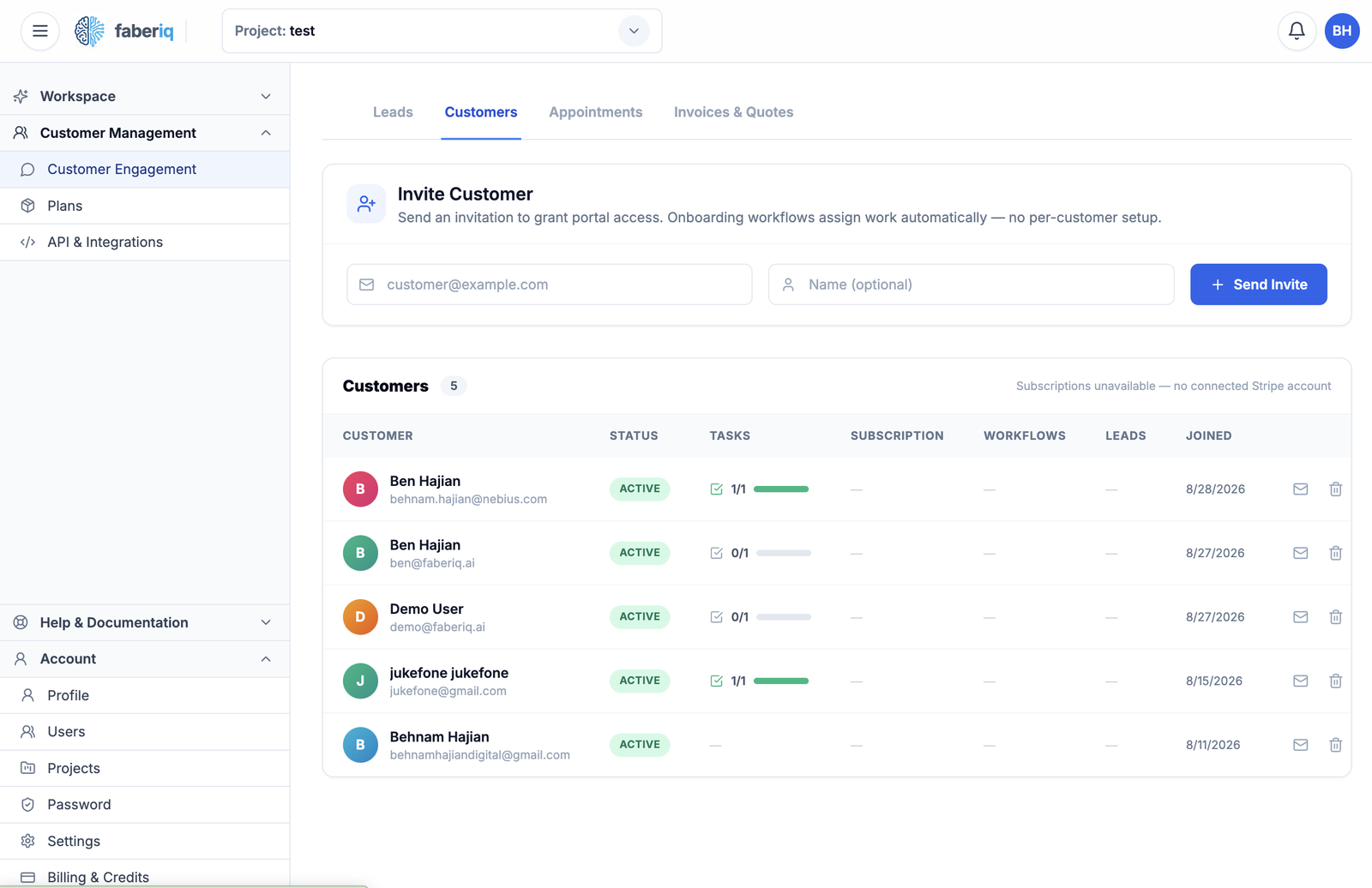
One record per customer, with the whole thread behind it.
Setting it up
Five minutes, in this order
Paste your website address
We read your site and build the knowledge base and a first playbook from it.
Pick your trade
The recipe for your trade arrives configured: playbook, intake tasks, portal theme, reports.
Connect one channel
Instagram or WhatsApp is the usual first choice. The web widget works if you'd rather test quietly.
Talk to your own front desk
Message it the way a customer would. Book something. Watch the record appear.
Connect the calendar and payments
Then let it answer for real. Nothing is charged for fourteen days.
Build yours and message it.
It takes about five minutes and you can be the first customer.